How to quickly add your new staff to your NDIS Provider Portal
As an NDIS provider you will need to give your staff members access to your NDIS Provider myplace account otherwise known as your NDIS Provider Portal so that they can view NDIS Plans and make claims.
There are just 2 steps to give your employees access to your NDIS myplace portal. Find each of them below:
- For Employees/Staff: Follow these steps to request access to your organisation's myplace Provider Portal
- For NDIS Providers: Follow these steps to approve employee's request for access to your mypace Provider Portal
How an NDIS employee can request access to an NDIS Provider's myplace account
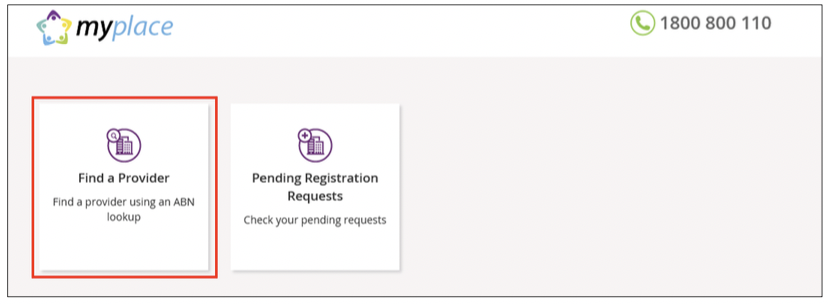
2. Select Find a Provider.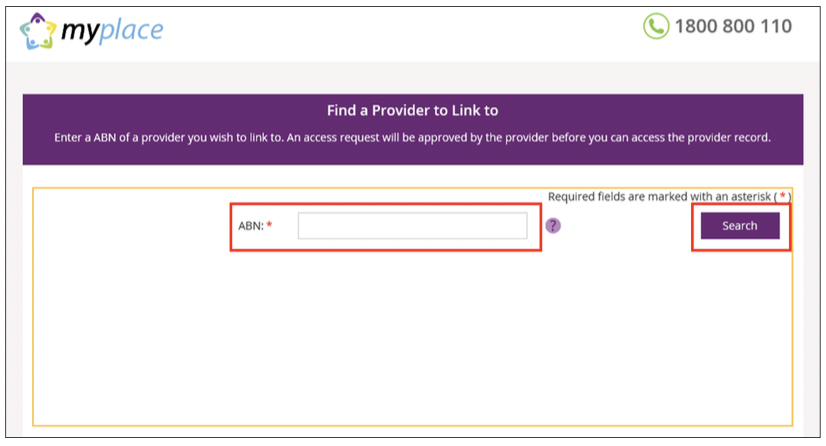
3. Enter the Australian Business Number (ABN) of your Provider organisation and click Search.
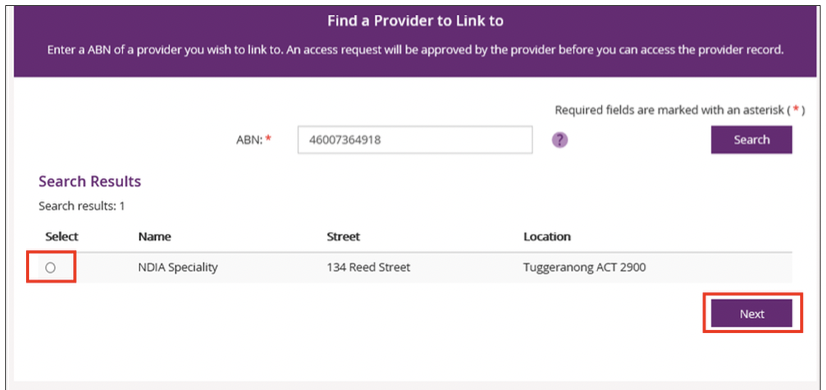
4. Your organisation should display under Search Results. Select the radio button for your organisation and select Next to continue.
NOTE:
If your organisation is not listed and it is registered with NDIS, it may be that a Primary Contact has not been set up in myplace. We advise that you contact your organisation to clarify.
If a Primary Contact has been set up, contact NDIA on 1800 800 110 for assistance.
5. Select Alternate Contact using the drop down button for the Contact Type field. Select Submit to continue.
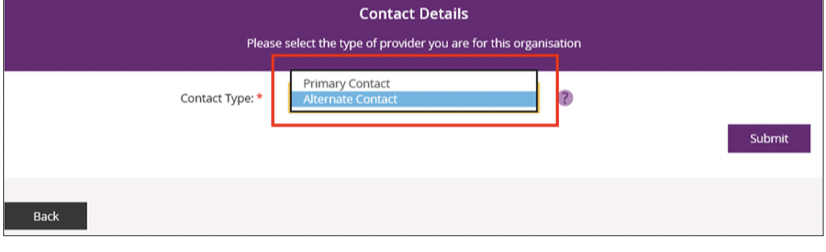
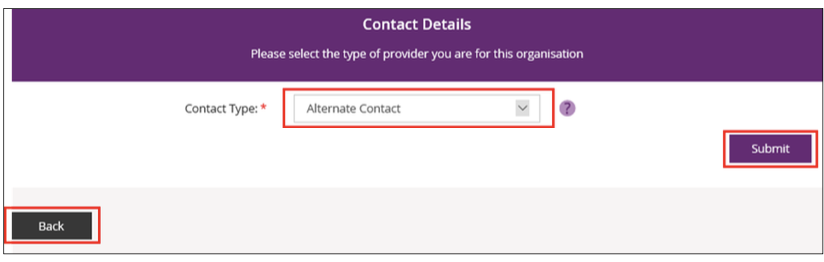
If you need to return to the myplace homepage, select Back.
7. Your request to access myplace is now sent to your organisation’s Primary Contact for approval. Select MyPlace Dashboard to return to the myplace homepage.
How an NDIS Provider can approve a myplace Provdier Portal access request
2. Select myplace Provider Portal
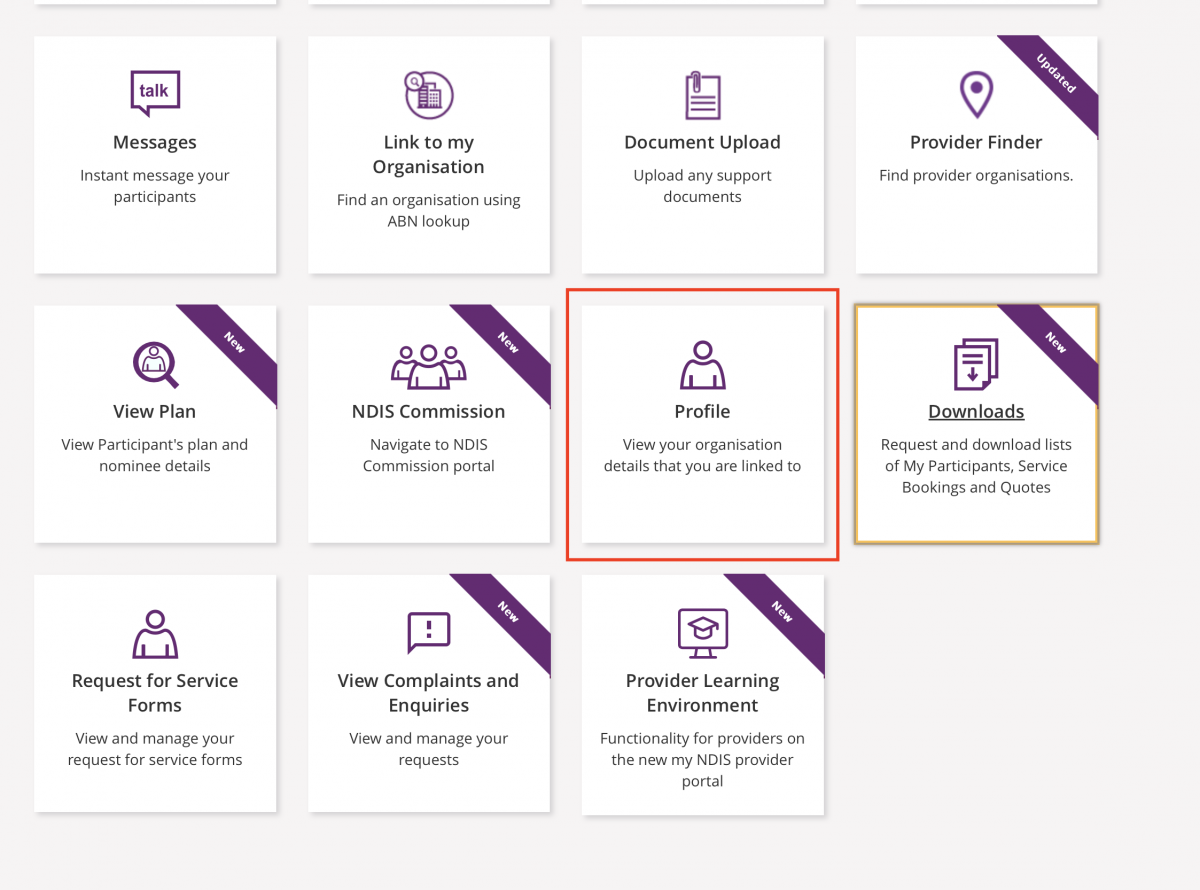
3. Select Profile
4. Look under My Pending Approvals
NOTE: It only shows if there is an approval pending.
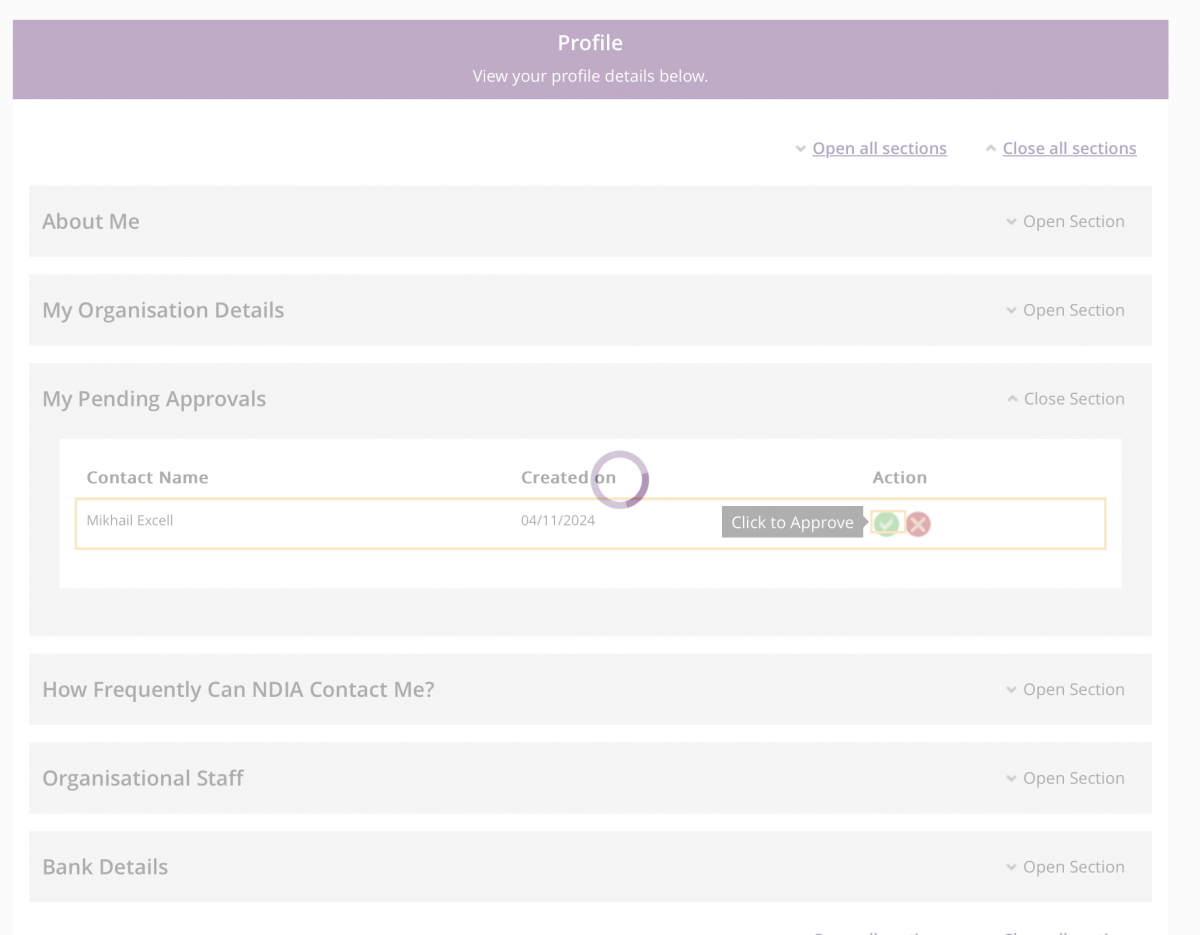
All done. They will now have access to myplace provider portal.
MyCareSpace resources may be shared provided they are credited to MyCareSpace with backlinks to the original resource.